If you only read one line: 3x is the default choice; 5x is the conditional one. The condition is not simply whether you want more magnification. It is whether the optics, exit pupil, eye relief, and mounting geometry can make that extra magnification useful.
This guide is for two readers: someone choosing a red dot magnifier for an existing setup, and a brand or distributor deciding which models belong in a product line. Both need to look beyond the number on the housing. The difference between a magnifier that works well and one that disappoints often comes down to the optical system around it.
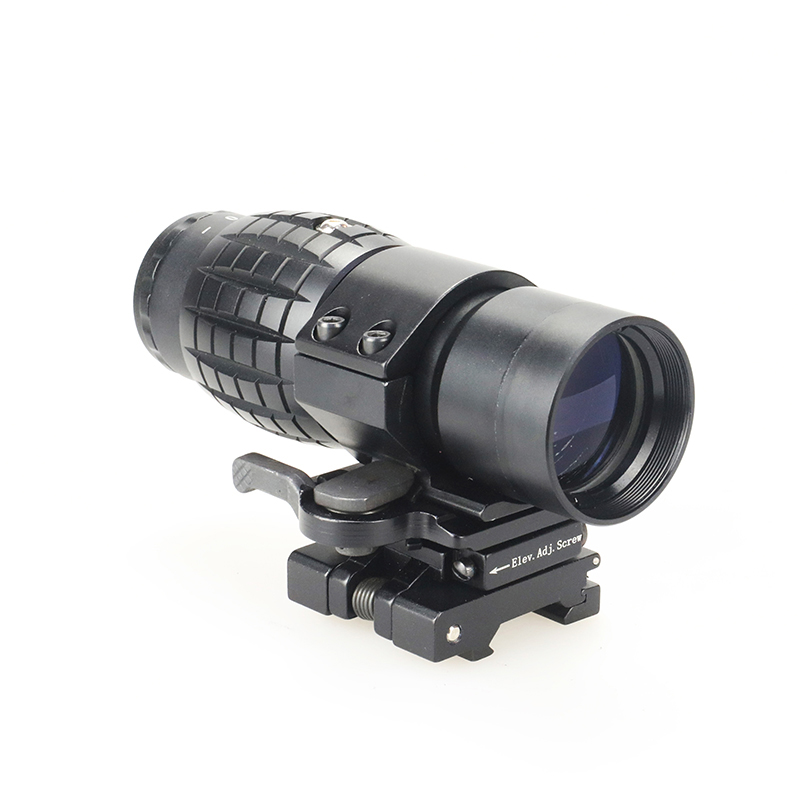
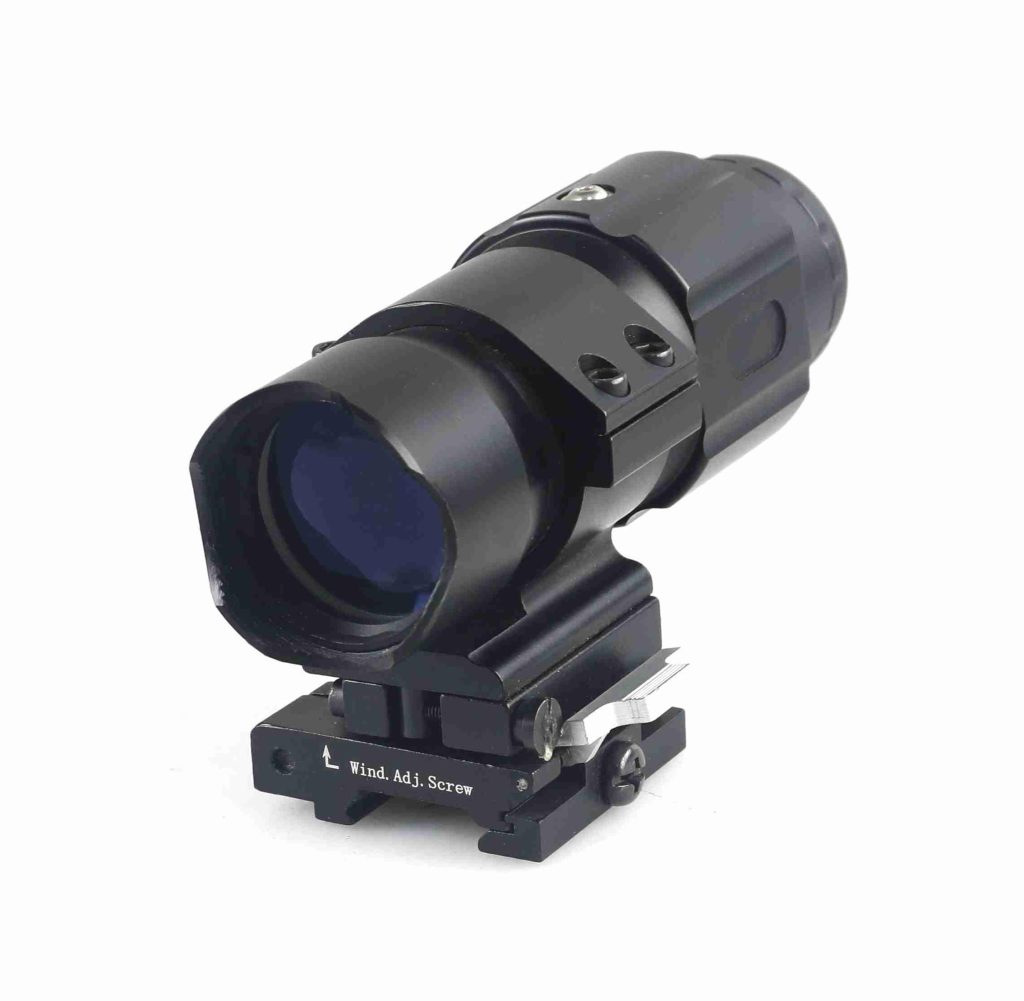
1. 3x vs 5x Magnifiers: Key Differences at a Glance
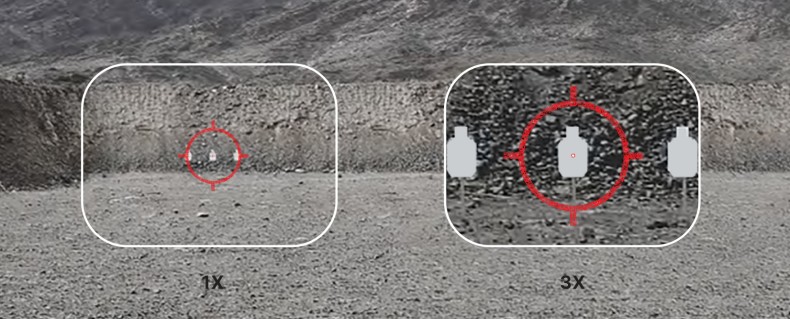
A 3x magnifier enlarges the viewed image three times in angular size, while a 5x magnifier provides five times the angular magnification. That is the easiest difference to compare—and one of the least useful on its own.
The more important questions are how much light reaches the eye, how much freedom you have to position your eye, and whether the magnifier works with the red dot and mount you plan to use.
| Comparison point | 3x magnifier | 5x magnifier |
| Magnification | 3× | 5× |
| Exit pupil | Larger than a 5x model with the same effective objective diameter | Smaller than a 3x model with the same effective objective diameter |
| Eye-position tolerance | Often easier to manage when the exit pupil and eye box are larger | Can demand more precise eye positioning, depending on the design |
| Field of view | Often wider in otherwise comparable optical designs | Often narrower in otherwise comparable optical designs |
| Typical task | A balance of added detail and viewing flexibility | Greater image enlargement when additional detail is the priority |
| Main trade-off | Less enlargement than 5x | Potentially less forgiving viewing and a narrower field |
Every specification depends on the actual model. Use this table to identify what to compare, then check the manufacturer’s data before making a decision. A larger exit pupil or wider eye box can make a magnifier easier to use, but neither can be judged from magnification alone.
The practical rule is simple: choose the magnification that suits the task, then check whether the optics and mount can deliver the viewing experience you expect.
2. How Magnification Affects Field of View and Target Detail
The most common mistake in a 3x vs. 5x magnifier comparison is assuming that more magnification automatically means a clearer image. It does not. Magnification enlarges the image; it does not create information that the optical system never captured.
Field of view: More magnification usually means a narrower view
Field of view (FOV) describes how much of the scene you can see through the optic. It is commonly given as an angle or as the width of the visible area at a specified distance.
When other optical factors are comparable, a higher magnification generally gives you a narrower field of view. A 3x magnifier may therefore make it easier to keep more of the scene within the viewing window, while a 5x magnifier shows a more enlarged portion of it.
The actual field of view depends on the optical design, so compare the published figures for the models you are considering. A well-designed 5x magnifier may offer a better field of view than a poorly designed alternative, even if its magnification is higher.
Target detail: What does 5x actually give you?
A 5x magnifier makes the viewed image larger than a 3x model does. This can help you distinguish smaller features, provided the optical system has enough resolution and contrast to show them.
But magnification also makes existing imperfections more noticeable. If the red dot has a large or irregular-looking appearance, the glass introduces softness, or the image becomes blurry toward the edge of the eye box, increasing magnification will not fix the underlying issue.
A 5x magnifier behind mediocre glass may give you a larger blurry image rather than more useful detail. Lens quality, coatings, alignment, focus, and the performance of the red dot itself all matter.
The same principle applies to the dot. A magnifier enlarges the dot’s apparent image along with the target. It does not automatically make the dot’s underlying aiming characteristics better.
Why the complete optical system matters
A red dot magnifier works behind the red dot sight, so the quality of the final image depends on both optics. The magnifier cannot compensate for every limitation of the primary sight.
When comparing 3x and 5x products, look at:
- Field of view: How much of the scene is visible.
- Optical resolution and contrast: How clearly small details can be distinguished.
- Lens coatings: How reflections and light loss are controlled.
- Focus adjustment: Whether the image and reticle can be brought into clear focus.
- Alignment: Whether the dot appears in a usable position within the magnified view.
The lesson is not that 5x is a poor choice. It is that 5x earns its place only when the optical quality and viewing conditions make the extra enlargement useful.
3. Eye Relief, Eye Box, and Viewing Comfort
Eye relief and eye box are often confused, but they describe different things. Both matter when deciding whether a magnifier is comfortable to use.
Eye relief: How far back should your eye be?
Eye relief is the distance from the eyepiece to the position where your eye can see the full image. It is usually listed in millimeters.
If the eye is too close or too far away, part of the field may disappear or the image may become difficult to see. The amount of usable eye relief varies by model, so check the published specification rather than assuming that every 3x magnifier has longer eye relief than every 5x model.
Eye box: How much can your eye move?
The eye box is the range of eye positions from which you can still see the full image. Eye relief tells you where the viewing position is; the eye box tells you how much room you have around it.
A forgiving eye box makes it easier to maintain a full image without repeatedly adjusting your head position. A restrictive eye box can make a magnifier feel demanding, particularly when the viewing position changes.
This is one reason a magnifier that looks comfortable during a slow, stationary inspection may feel less natural when the user changes position. The viewing experience depends on the eye relief, eye box, mounting position, and the way the complete setup is used.
Does 5x always have a tighter eye box?
No. Higher magnification often comes with optical trade-offs, but eye box performance depends on the design rather than magnification alone.
The exit pupil helps explain part of the difference. For a conventional optical system, the approximate relationship is:
Exit pupil = Effective objective diameter ÷ Magnification
For example, if two designs have the same effective objective diameter, the 3x design will have a larger exit pupil than the 5x design. A larger exit pupil can provide more tolerance for small changes in eye position and can help the eye receive more of the available light, especially when the eye’s pupil is relatively large.
However, exit pupil is not the same as eye box, and it does not tell the whole story about image brightness. Optical transmission, coatings, vignetting, and the pupil of the viewer’s eye also matter.
Foreseen Optics has a 20 mm objective lens and a 6 mm exit pupil: BEF3201 3x magnifier. This is a useful example of why buyers should check the actual specifications rather than assume the exit pupil from the magnification number alone.
For the underlying optical definitions, see American Rifleman’s explanation of eye relief and exit pupil and Nikon’s sport optics glossary.
4. Size, Weight, and Mounting Compatibility
A magnifier does not sit in isolation. It adds another optical assembly and mount to the setup, usually behind the red dot sight. That affects the available rail space, overall weight, and balance.
Weight is easy to overlook
A few grams may not seem important when reading a product page, but the complete assembly includes the magnifier and its mount. The position of that weight also matters: a magnifier mounted toward the rear can change how the overall setup feels.
Do not assume that every 3x magnifier is lighter than every 5x model. Compare the weight of the complete product, including its mounting hardware, and consider whether the dimensions suit the intended configuration.
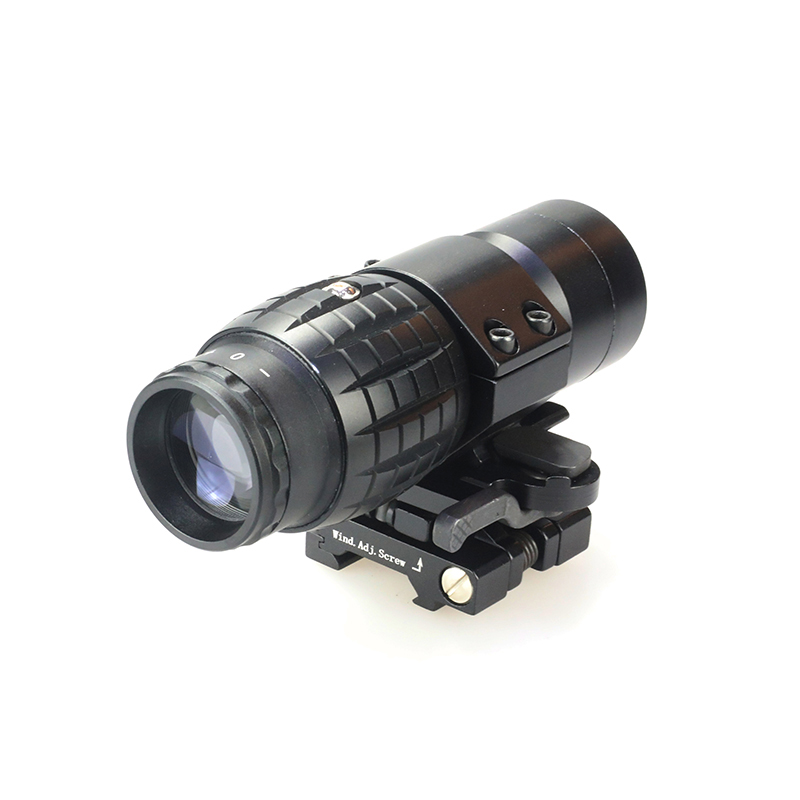
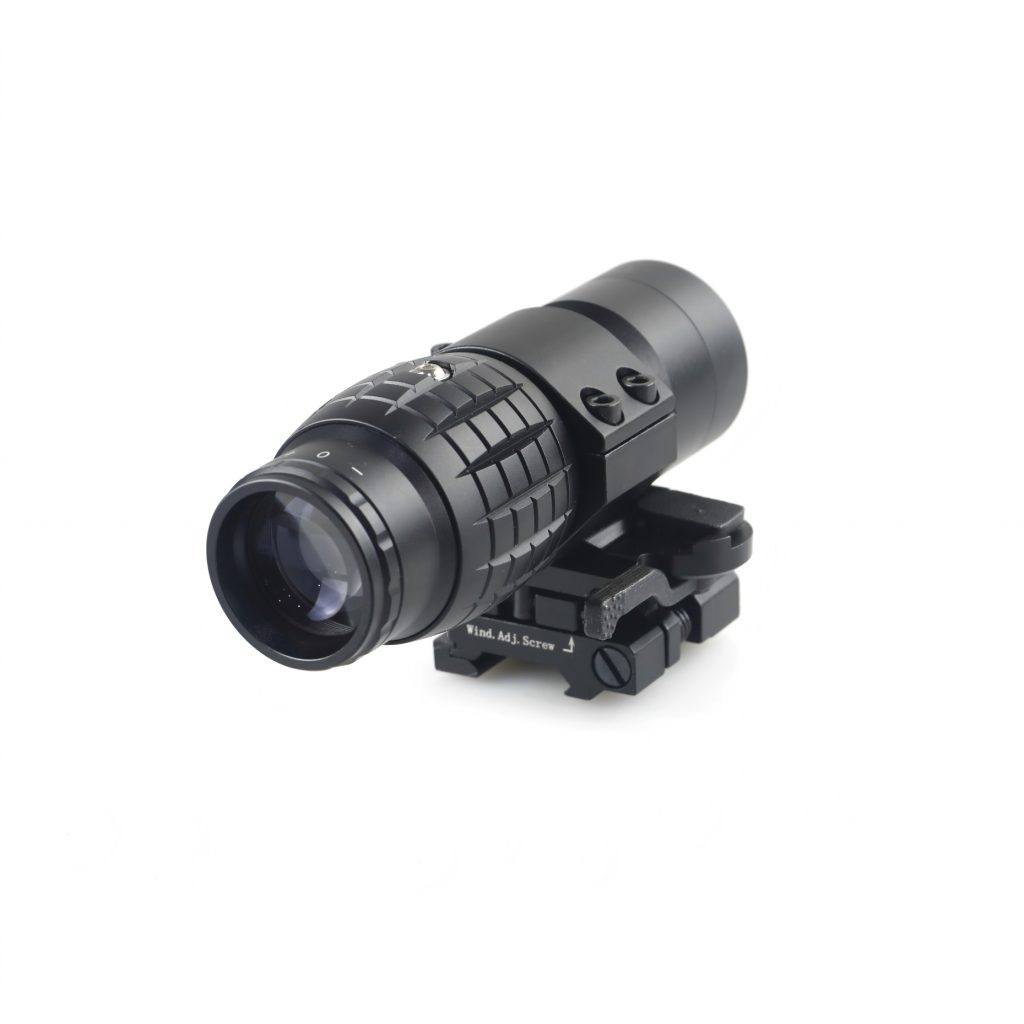
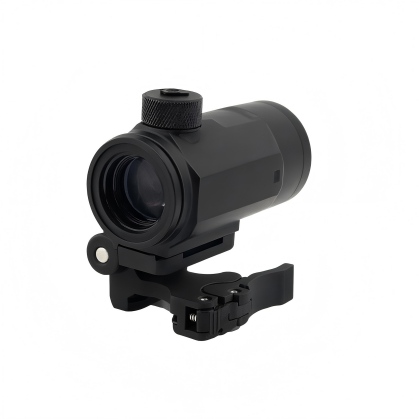
For a concrete reference, Foreseen Optics has the CHX3304 3x magnifier at 307 g and 107 mm in overall length. Those figures apply to that specific model, not to all 3x magnifiers.
Absolute co-witness vs. lower-third co-witness
Co-witness describes the relationship between a red dot sight’s aiming point and the iron sights when viewed through the optic. With absolute co-witness, the dot and iron sights align around the same height. With lower-third co-witness, the iron sights appear lower in the viewing window.
These terms describe the relationship between the red dot and iron sights. They do not, by themselves, determine magnifier compatibility.
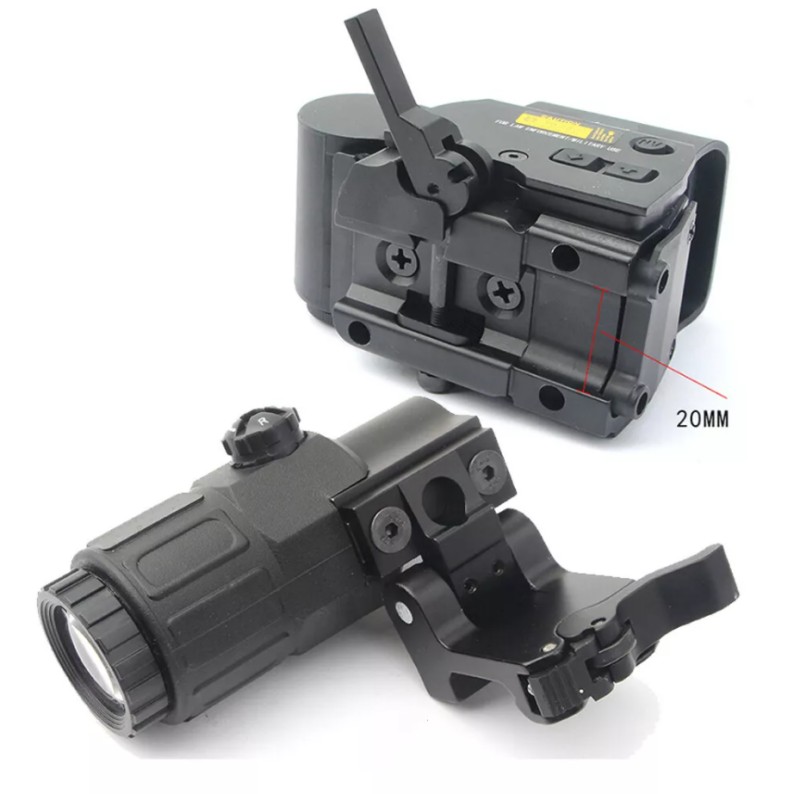
The magnifier’s optical centerline still needs to align with the red dot sight’s centerline. If the red dot is mounted at one height and the magnifier at another, the dot may appear off-center in the magnified image or the viewing window may show unwanted dark edges.
Before choosing a magnifier, check the center height of the red dot, the magnifier’s mounting height, and whether the mount includes the correct riser or adjustment options.
Flip-to-side mounts need room to move
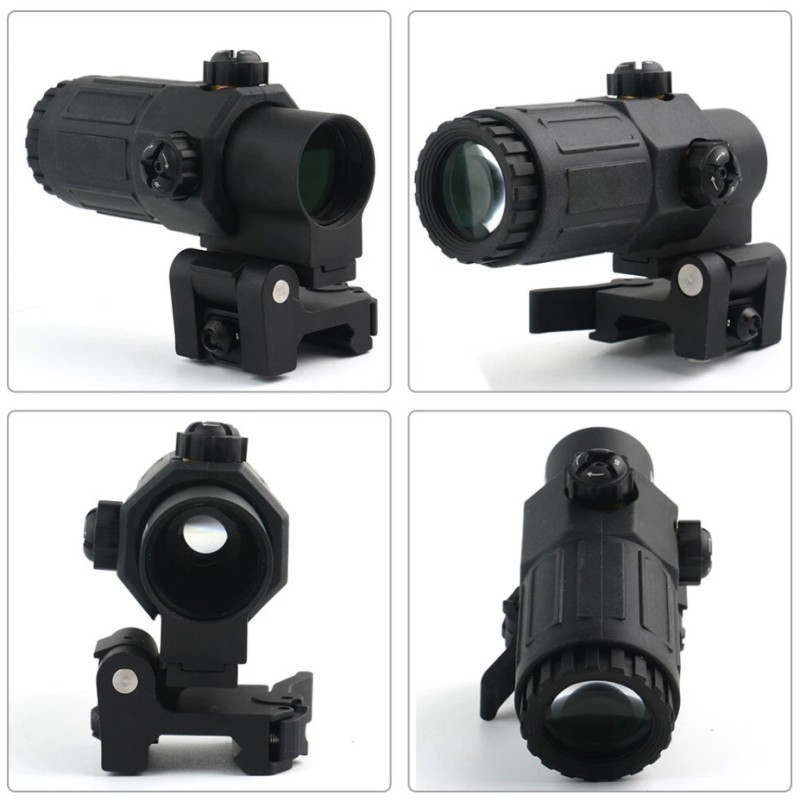
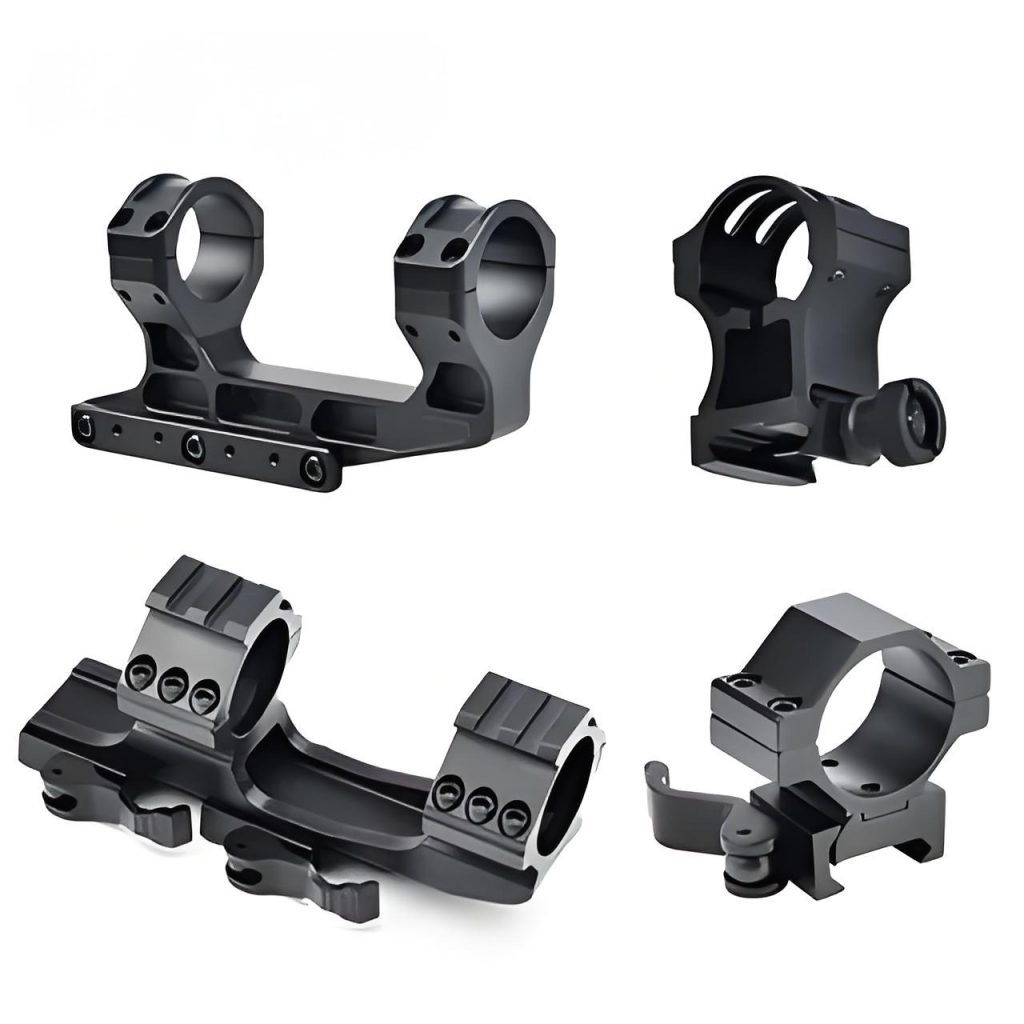
A flip-to-side mount allows the magnifier to move out of the optical line when magnification is not needed. This is convenient, but the mount must have enough space to rotate fully without hitting the red dot housing, rear sight, or other components.
A mount that fits on the rail is not necessarily a mount that can flip freely. Buyers should check the full dimensions and movement path, not just the rail interface.
For distributors, it is worth checking the assembled configuration before approving a product combination. A small difference in housing shape or mount height can determine whether the magnifier clears the neighboring optic.
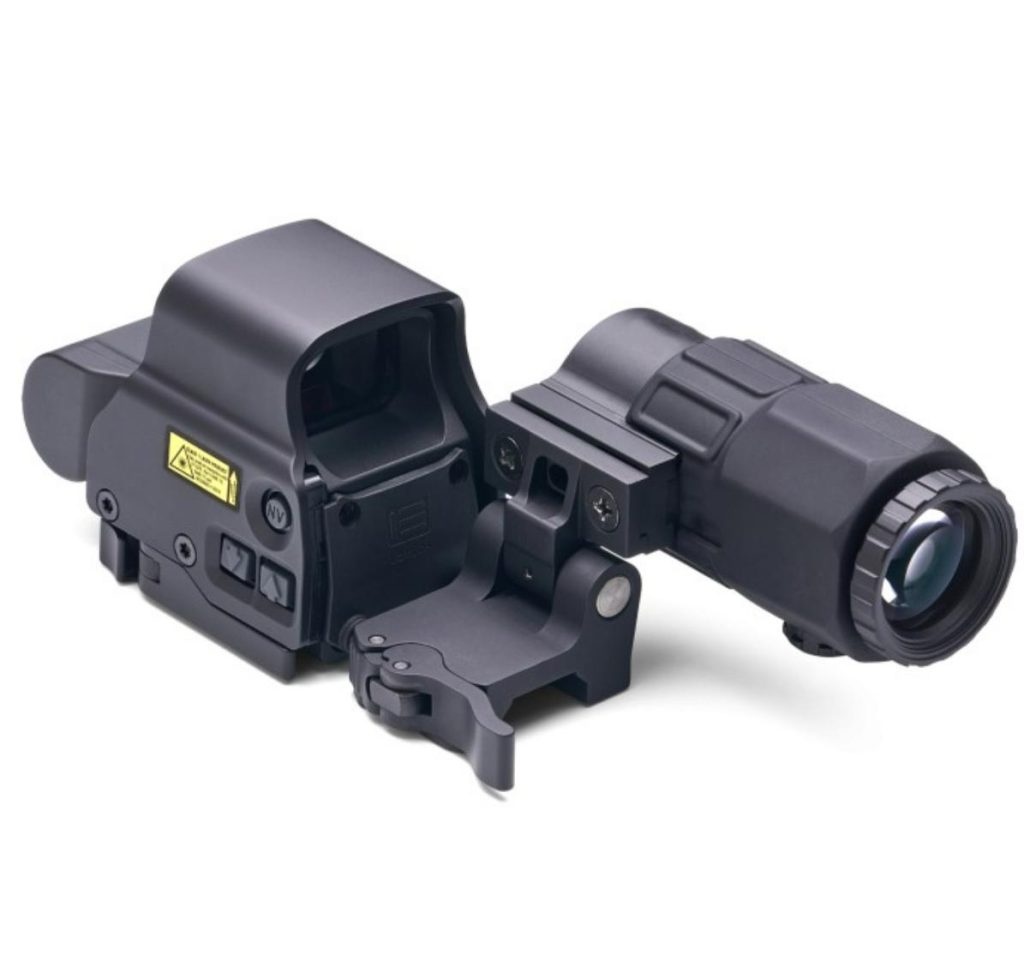
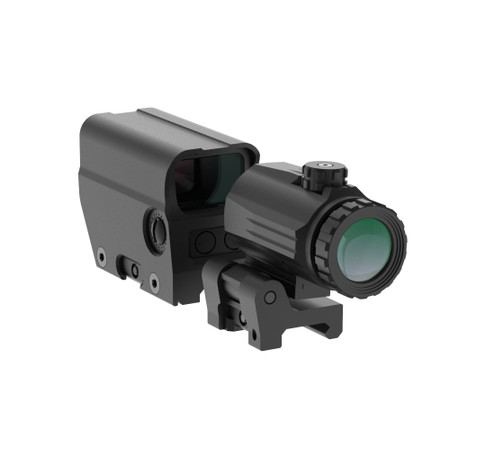
5. A Magnifier and a Red Dot Are One Optical System
A magnifier is not simply an accessory that can be added to any red dot sight. The two products need to work together optically and mechanically. Three conditions matter most: exit pupil, alignment, and mounting geometry.
Exit pupil: The number that helps explain viewing tolerance
Exit pupil is the diameter of the light beam leaving the eyepiece. In a simple comparison, it can be estimated by dividing the effective objective diameter by magnification.
For example, with the same effective objective diameter, a 3x magnifier has a larger theoretical exit pupil than a 5x model. That can make it easier to keep the full image visible when the eye moves slightly off the ideal position.
A larger exit pupil can also help the eye receive more of the available light in low-light conditions, but it does not guarantee a brighter image in every situation. Lens transmission, coatings, internal design, and the viewer’s own pupil size all affect perceived brightness.
Do not use exit pupil as the only buying criterion. Check eye relief, eye box, and field of view alongside it.
Coaxial alignment: Centering and tilt are not the same problem
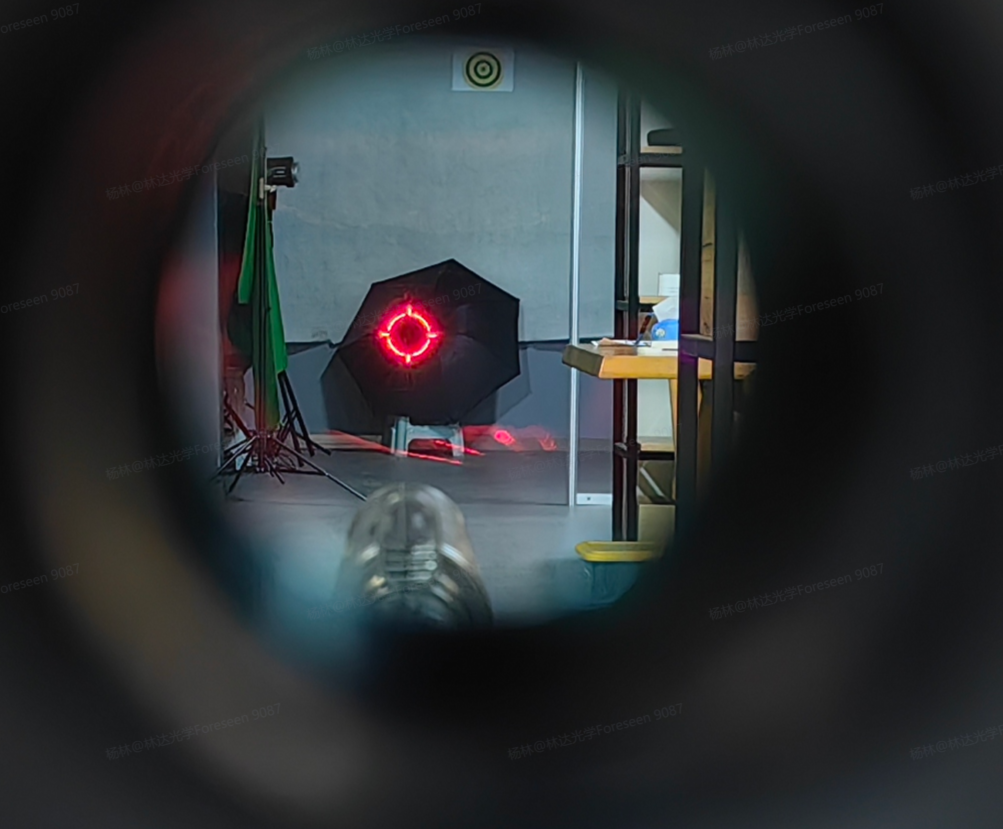
The magnifier’s optical axis should align with the red dot sight’s optical axis. If the two are offset, the dot may appear away from the center of the magnified view. Depending on the degree of misalignment and the optical design, this can also reduce the usable viewing area or create dark edges.
An off-center dot in the magnifier does not automatically mean the red dot’s zero has changed. Some magnifiers provide horizontal and vertical adjustment to center the dot within the viewing window. On compatible systems, this adjustment changes the dot’s position in the magnified image rather than changing the red dot sight’s zero.
Angular tilt is a different issue. If the magnifier or mount is not seated correctly, or the optical axes are not aligned as intended, the image can be distorted or positioned incorrectly. The exact effect depends on the design and the type of misalignment.
The important point for buyers is to distinguish between an image-centering adjustment and a change to the primary sight’s zero. Follow the manufacturer’s instructions for installation and alignment rather than using the magnifier’s adjustment controls to compensate for an incorrectly fitted mount.
Height, co-witness, and the flip-mount budget
Three checks determine whether a magnifier and red dot can work together:
- Mounting interface: The rail or mounting system must be compatible.
- Centerline height: The optical axes must align within the adjustment range provided by the product.
- Physical clearance: The magnifier body and mount must be able to move through their full operating path without hitting neighboring components.
This is why a product described as “universal” still needs a compatibility check. A shared rail interface does not guarantee matching optical height or enough clearance for the flip mechanism.
For product development and sourcing, these three checks should be documented before a combination is approved. They are more useful than relying on brand names or nominal magnification alone.
6. When Should You Choose a 3x or 5x Magnifier?
Choose by task, not by taste. A 3x magnifier is the more straightforward starting point when a broad view and forgiving eye positioning matter. A 5x model is worth considering when extra image enlargement is a clear requirement and the rest of the optical system can support it.
Timber, brush, and driven hunting
For environments where the view changes quickly and a broad field of view is useful, a 3x magnifier is often the more practical starting point. Its lower magnification can make it easier to keep more of the scene in view, assuming the specific model offers suitable field-of-view and eye-box performance.
The deciding factor is not the label “3x” alone. A model with poor eye relief or an awkward mount can still be difficult to use.
Open ground and situations where more detail matters
A 5x magnifier may be worth considering when you need more image enlargement and have enough time and a stable viewing position to use it effectively. The narrower field of view and potential eye-position trade-offs should be weighed against the benefit of the extra magnification.
Do not treat magnification as a substitute for a clear view, good optical quality, or a suitable setup. A higher number cannot make up for a poorly matched system.
Range practice and target observation
For paper targets or steel targets, the choice depends on the distance, target size, and how much detail you need to see. A 5x model can make small features appear larger, but a 3x magnifier may be sufficient for many setups and can offer a more forgiving viewing experience.
The best way to decide is to compare actual products under the conditions in which they will be used, rather than assuming that one magnification is always best for a particular activity.
Low-light use
Low-light performance should be judged by the complete optical system. A larger exit pupil can help deliver more of the available light to the eye, but lens transmission, coatings, ambient light, and the viewer’s pupil size all matter.
If low-light performance is important, compare the exit pupil and optical transmission data where available. Do not assume that every 3x magnifier is brighter than every 5x model, or that magnification alone determines low-light suitability.
If you are choosing one magnification without a clearly defined need for 5x, start by evaluating 3x models. If you are building a product range, consider whether your customers have distinct needs that justify offering both.
7. What Should Buyers Compare Beyond Magnification?
For brands and distributors, a product comparison should go beyond a simple 3x-versus-5x table. The specifications that determine usability, service requirements, and compatibility are often the ones that receive the least attention during an initial product review.
Use this checklist when reviewing samples or discussing requirements with a supplier.
| What to check | Why it matters |
| Diopter adjustment | Helps users focus the image for their eyesight. Confirm the adjustment range and whether the model offers it. |
| Lens coatings | Affect reflections, glare, and light transmission. Ask which coating is used and what performance data is available. |
| Optical specifications | Magnification alone is not enough. Compare field of view, eye relief, exit pupil, and resolution where data is available. |
| Housing and tube construction | Affects dimensions, weight, durability, and the way the product fits into a planned range. |
| Mount type | Fixed, quick-release, and flip-to-side mounts serve different installation and switching needs. |
| Complete weight | Include the mount rather than comparing the optical unit alone. |
| Spare parts and service | Ask whether mounts, caps, adjustment components, and other service parts can be supplied separately. |
| Quality checks | Ask how optical alignment, sealing, and mechanical operation are checked, and what documentation can be provided. |
Diopter adjustment deserves particular attention. A magnifier that cannot be focused to suit the intended user’s eyesight may be less versatile than expected. Buyers should confirm whether the model has a diopter ring, how it works, and whether the range meets their target market’s needs.
Spare parts matter too. A damaged flip mount or lost protective cap should not automatically mean replacing the entire product. Ask the supplier which components are available separately, how service requests are handled, and whether parts can be ordered after the initial purchase.
The buyers who ask about these details before placing an order are usually better prepared for what happens after the products reach their customers.
8. Building a Line: What Brands and Distributors Should Stock
Choosing a magnifier for one setup is a product-selection decision. Choosing magnifiers for a catalogue is a compatibility and inventory decision. A model that works well with one red dot may not work with every other model in the range.
One magnifier, how many dots? Build a compatibility matrix
A compatibility matrix records which magnifiers work with which red dot models and mounting configurations. At a minimum, it should cover four areas:
- Mounting interface: Is the rail or mounting system compatible?
- Centerline height: Do the red dot and magnifier align correctly?
- Window size and housing shape: Is the magnified view usable, and does the body clear the red dot?
- Flip-mount clearance: Can the magnifier rotate fully without hitting another component?
Do not assume that one magnifier will fit every red dot in a catalogue. Equally, do not assume that every red dot family needs a separate magnifier SKU. The right number depends on how many combinations have been checked and verified.
For a distributor carrying several red dot families, a compatibility matrix can help identify where one magnifier model can serve multiple products and where a separate SKU is needed. The matrix is part of the product offering, not just a support document. It helps customers choose correctly and gives sales teams a clear answer when compatibility questions arise.
Bundle or sell separately: The trade-offs
Selling a red dot and magnifier as a bundle can make the buying process easier and increase the value of each order. But a bundle also ties two products together. If the mounting height is wrong, the combination does not fit the customer’s setup, or one component needs replacing, the seller may have to handle the issue across the whole package.
Selling the products separately gives customers more choice, but it places greater importance on accurate compatibility information. A clear chart, a list of supported combinations, and practical mounting guidance can reduce confusion.
Neither approach is right for every business. Bundles work best when the combination has been verified and is easy to explain. Separate products work well when customers have varied requirements and can use a reliable compatibility guide.
For distributors, the key is to track the reasons for returns and support requests. That information will show whether a bundle or separate-SKU approach works better for the actual customer base.
Three combinations that deserve extra checking
1. A magnifier behind a large-window red dot
A larger red dot housing may interfere with the magnifier body or flip mechanism, depending on the dimensions and mounting arrangement. Check physical clearance and centerline height rather than assuming that the shared rail interface is enough.
2. A 5x magnifier paired with a red dot that has visible optical limitations
Magnification enlarges the image presented by the primary sight. If the dot appears irregular or the image quality is limited, those characteristics may become more noticeable through a 5x magnifier. Check the actual combination rather than evaluating each product only on its own.
3. A mount that places the magnifier too high or too far from the eye
A mounting arrangement may fit the rail but still provide an awkward viewing position. Verify centerline height, eye relief, and physical clearance with the intended red dot model before approving the combination.
For all three cases, a tested compatibility matrix is more useful than a general statement that two products are “universal.” It makes the limits clear before the products are sold.
9. Where Magnifiers Actually Fail in the Field
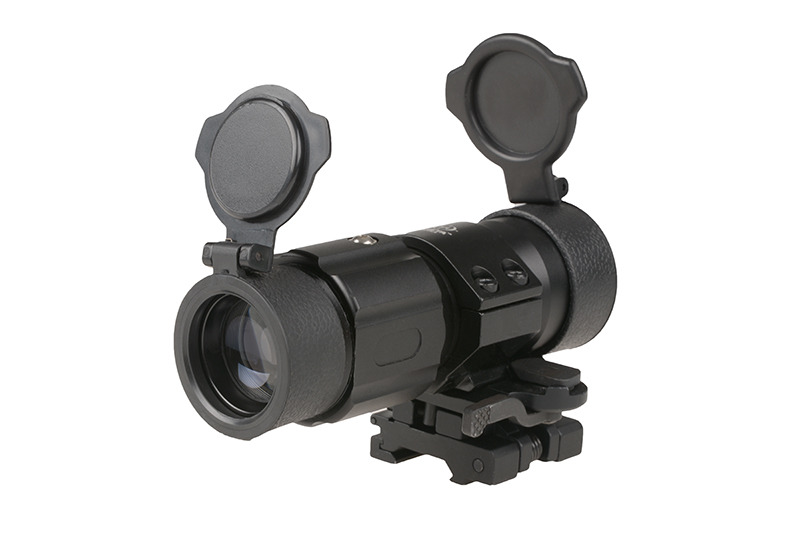
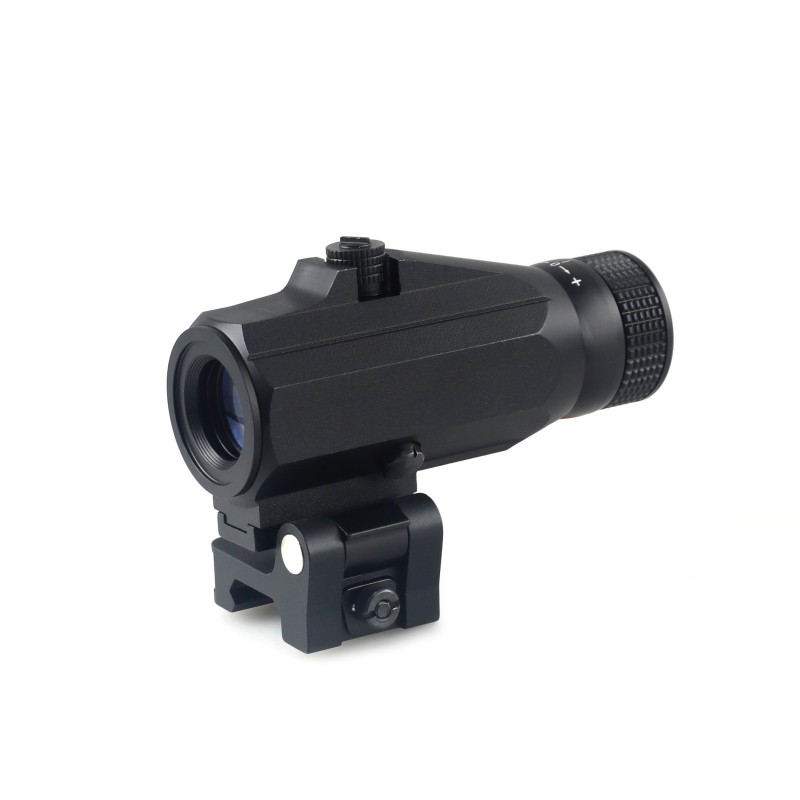
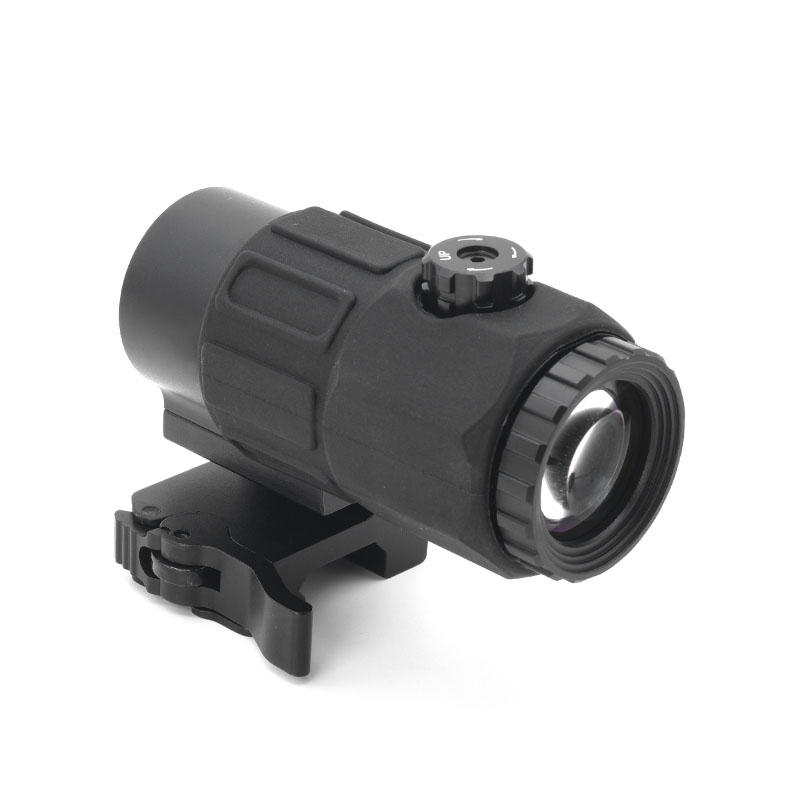
A magnifier can look good on a product page and perform well during a quick inspection, yet develop problems after repeated use. For manufacturers and distributors, the useful question is not only what the product can do when new, but which mechanical and optical details need to remain consistent over time.
The flip mount and return-to-center consistency
A flip-to-side mount needs to move smoothly and return to its intended position consistently. If the mechanism develops play, fails to lock securely, or stops at a different angle after repeated operation, the magnifier may no longer sit in the intended position.
Endurance testing should therefore evaluate more than whether the hinge can be moved. It should examine locking behavior, repeatable positioning, wear, and whether the mount remains secure after repeated cycles.
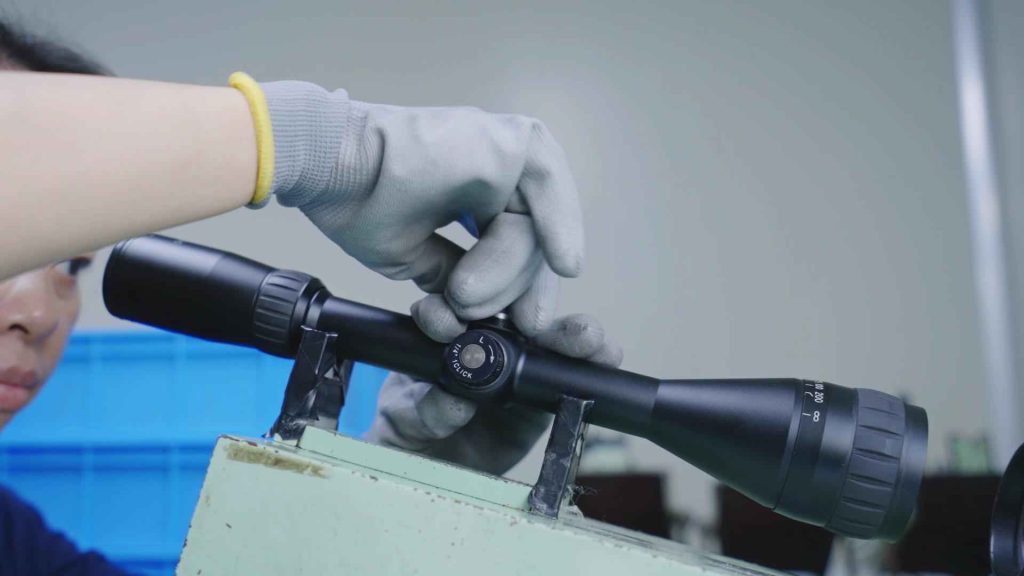
At Foreseen Optics, flip-cycle endurance testing is part of our red dot magnifier manufacturing process, helping us evaluate the durability of flip-to-side mounting mechanisms under repeated use. Test procedures and requirements may vary by model. For detailed information, please contact our team to confirm which tests apply to your selected model and whether supporting test results are available.
Lens retention and optical alignment
The lenses need to remain securely positioned within the optical assembly. If an optical element shifts or the assembly loses alignment, the image may become decentered or performance may change.
It is important to distinguish that problem from a change in the red dot sight’s zero. A magnifier alignment issue can affect the appearance and position of the dot in the magnified view without necessarily changing the primary sight’s zero.
Manufacturers should have suitable inspection procedures for lens seating, optical alignment, and the assembled unit. For buyers, the useful questions are how alignment is checked, what tolerances apply, and how the supplier handles a product that does not meet specification.
Sealing, purging, and fogging
Internal fogging can occur when moisture enters a sealed optical assembly or when temperature changes cause condensation inside it. The relevant protection depends on the product’s construction, sealing process, and whether it is designed to be purged with dry gas such as nitrogen.
An IP rating describes defined ingress-protection performance; it should not be treated as proof of every aspect of optical fog resistance. Likewise, nitrogen purging should not be assumed unless the manufacturer confirms that the product uses it.
If a product is intended for wet, humid, or changing-temperature environments, ask the supplier about its sealing method, applicable ingress-protection rating, fog-resistance testing, and the conditions under which the claims were verified.
For a manufacturer, these checks should be part of the quality process. For a distributor, the important point is to match the documented product performance to the requirements of the intended market instead of relying on broad terms such as “weatherproof.”
10. What Is Customisable — and What Is Not
For a brand developing its own magnifier line, not every change has the same impact. Some requests involve branding and packaging; others require changes to the optical system or mechanical design. Those two categories should be discussed separately.
Standard customization: Branding and presentation
Depending on the base model and order requirements, customization may include:
- Logo marking on the housing.
- Branded packaging, manuals, and labels.
- Selected housing colors or surface finishes.
- Export carton and product-label requirements.
- Compatible mounting options where supported by the base design.
These requests generally use an existing product platform, but they still need to be confirmed against the supplier’s available options, minimum order quantities, and production requirements.
Foreseen Optics can provide branding, packaging, and selected finish or mount options for B2B buyers. The exact options and conditions should be confirmed for the model being quoted.
Engineering customization: Optics and housing geometry
Changes to focal length, magnification, mounting footprint, optical centerline, or housing geometry may affect the optical design, mechanical structure, tooling, and compatibility with other products.
These are not simply cosmetic changes. They may require engineering review, sample development, and a separate validation process. A request to change the housing dimensions, for example, could affect whether the magnifier clears the red dot when flipped to the side.
Development time depends on the scope of the change and the starting platform. For planning purposes, an engineering project may take around 60–90 days, but that should be treated as an initial estimate rather than a guaranteed lead time. Confirm the schedule, sample requirements, testing, and approval milestones with the supplier before committing to a launch date.
A useful supplier should be clear about which requests can be handled within an existing model and which require engineering work. An early, specific answer is more valuable than a general promise that everything can be customized.


Final Verdict: 3x or 5x?
Start with 3x unless you can name the task that specifically requires 5x. Wanting more magnification is understandable, but it is not enough on its own.
Before choosing 5x, check three things: whether the eye box is forgiving enough for your needs, whether the optics can deliver the extra detail, and whether the mounting height and eye relief work with the red dot.
For brands and distributors, the same principle applies at catalogue level. A well-documented 3x model with verified compatibility may be a better starting point than a broader range of magnifiers without clear product data. Add 5x when customer requirements justify it and the full system has been checked.
The best magnifier is not simply the one with the highest number on the housing. It is the one that aligns with the red dot, suits the task, and performs as specified.
FAQ
Can a 3x or 5x magnifier be used with any red dot sight?
No. Compatibility depends on the mounting interface, centerline height, housing dimensions, optical alignment, and available clearance. Two products may fit the same rail but still fail to align correctly or allow the magnifier to flip freely.
Check the manufacturer’s compatibility information or ask the supplier to confirm the specific combination before ordering.
Does a higher-magnification magnifier make a red dot more accurate?
No. A magnifier enlarges the viewed image; it does not automatically improve the mechanical accuracy of the firearm or change the red dot sight’s zero. It may make target details and the dot’s appearance easier to inspect, but the result depends on the quality and alignment of the complete optical system.
Higher magnification can also make existing optical limitations more noticeable.
Can you use a red dot sight without the magnifier attached?
Yes, if the magnifier is moved out of the optical line or removed. A flip-to-side model can be rotated aside so the user can view through the red dot without looking through the magnifier. A fixed-mount model may need to be removed instead.
The available method depends on the mount design.
Can a 3x magnifier be replaced with a 5x model later?
Possibly, but the replacement should not be assumed to fit directly. Check the mounting interface, centerline height, eye relief, overall dimensions, and clearance around the red dot housing. The new model may also have different viewing characteristics.
Confirm compatibility with the manufacturer before treating the replacement as a simple swap.
Can one magnifier work with different red dot models?
Yes, in some combinations, but “universal” should always have limits. The mounting interface, centerline height, window size, housing clearance, and flip-mount path all need to be checked.
A compatibility matrix helps buyers identify which combinations have been verified and which need further testing.
Do magnifiers need to be sold as a set with a red dot?
No. A magnifier can be sold separately or as part of a matched bundle. Bundles make product selection simpler when the combination has been verified, while separate sales give customers more flexibility.
For distributors, the best approach depends on customer needs, return reasons, support requirements, and how clearly compatibility can be communicated.
Can a magnifier be private-labelled?
Private labelling may be possible for branding, packaging, manuals, and selected housing finishes, depending on the model and order requirements. Changes to magnification, focal length, mounting footprint, or housing geometry are engineering requests and need separate evaluation.
Ask the supplier to confirm what can be changed on an existing platform, what requires development, and which minimum order quantities and timelines apply.
Conclusion: Choose the System, Not Just the Magnification
A 3x magnifier is a sensible starting point for many setups. A 5x model can make sense when greater image enlargement is a real requirement and the optical design, eye position, and mounting geometry support it.
For product buyers, the same lesson applies: compare the complete specification, verify compatibility, and ask how the supplier tests the parts that matter in real use.
Looking for a 3x magnifier range or developing a red dot magnifier under your own brand? Explore Foreseen Optics’ red dot magnifiers or contact the team to discuss product selection, compatibility requirements, and OEM/ODM options.