A red dot sight is quick and simple to use, but what if you also want a closer look at a distant target? Adding a magnifier can give you more viewing detail without replacing your existing red dot.
Still, choosing the right red dot magnifier for an AR-15 involves more than picking a magnification level. You also need to consider compatibility, mounting height, available rail space, eye relief, and the way the magnifier moves in and out of position.
This guide explains the main factors to compare, whether you are choosing one for your own setup or sourcing magnifiers for an optics product line.
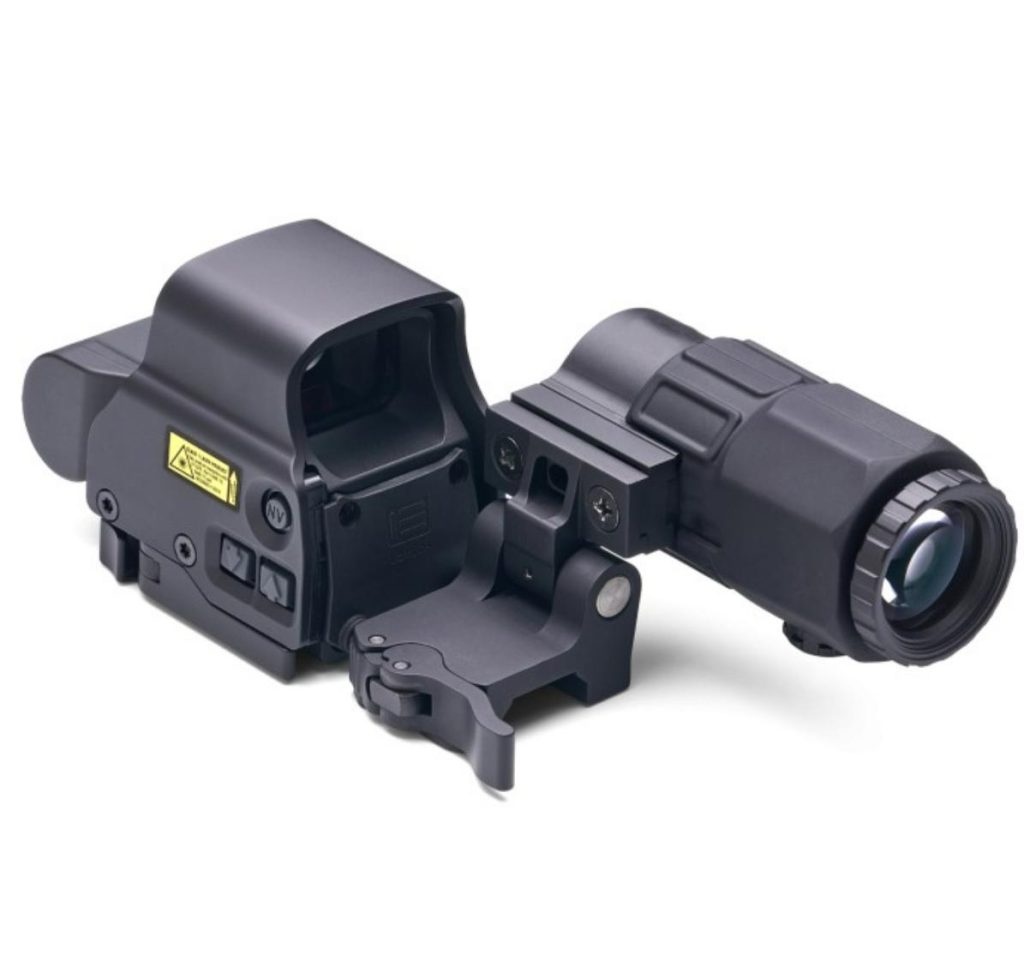
Why Pair a Magnifier with an AR-15 Red Dot Sight?
A red dot sight provides an aiming point without magnifying the target. This makes it useful when you want a simple sight picture and a wide, unobstructed view. However, the lack of magnification can make small target details harder to distinguish as viewing distance increases.
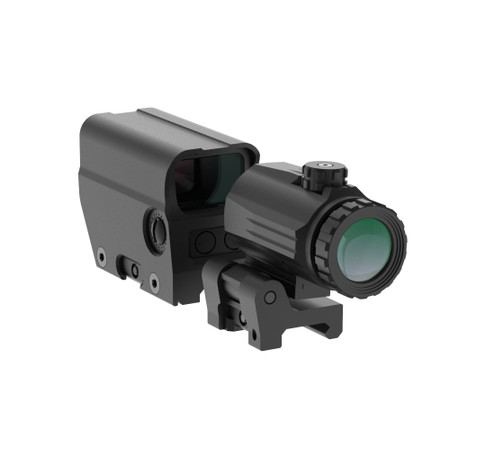
A red dot magnifier is a separate optical device mounted behind the red dot sight. When aligned with the sight, it magnifies the view of both the target and the red dot. When magnification is not needed, a flip-to-side model can be moved out of the optical path, allowing you to use the red dot without magnification.
This setup offers a practical middle ground between using a red dot alone and switching to a dedicated magnified optic. You keep your existing red dot while adding the option to view targets at greater detail.
There are a few trade-offs to consider:
- More target detail: Magnification can make distant features easier to see, although actual image quality depends on the optical design and viewing conditions.
- Two viewing options: A flip-to-side magnifier lets you switch between magnified and unmagnified views without removing the optic.
- Additional size and weight: The magnifier and its mount add components to the setup, so their combined dimensions and weight matter.
- More compatibility checks: The red dot, magnifier, and mount need to work together mechanically and optically.
For anyone choosing an AR red dot magnifier, the goal is not simply to get more magnification. It is to find a combination that fits the intended use, mounting arrangement, and preferred viewing experience.
1. Choose the Right Magnification: 3x vs. 5x
Magnification is one of the first specifications buyers compare. A 3x magnifier makes the viewed image appear three times larger in angular terms, while a 5x magnifier provides greater magnification.
However, higher magnification is not automatically better. The right choice depends on how much detail you need and how the magnifier’s other optical specifications fit your setup.
When should you consider a 3x magnifier?
A 3x magnifier is a common starting point for a red dot and magnifier combination. It offers additional target detail without moving to a higher magnification level that may place greater demands on the optical system and the shooter’s eye position.
When comparing 3x models, look beyond the magnification number. Field of view, eye relief, image clarity, size, and weight all influence the overall experience.
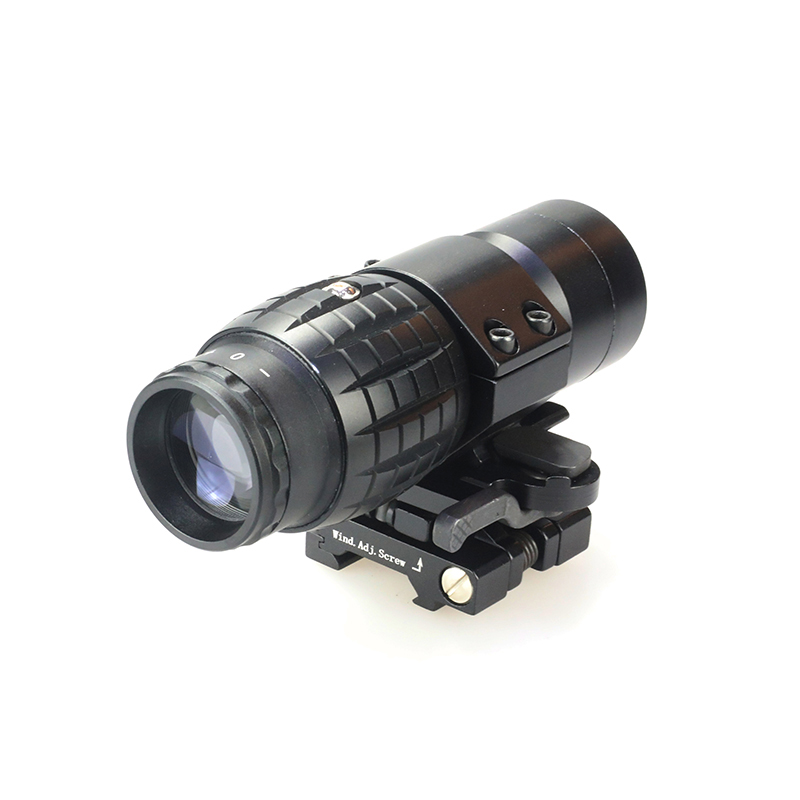
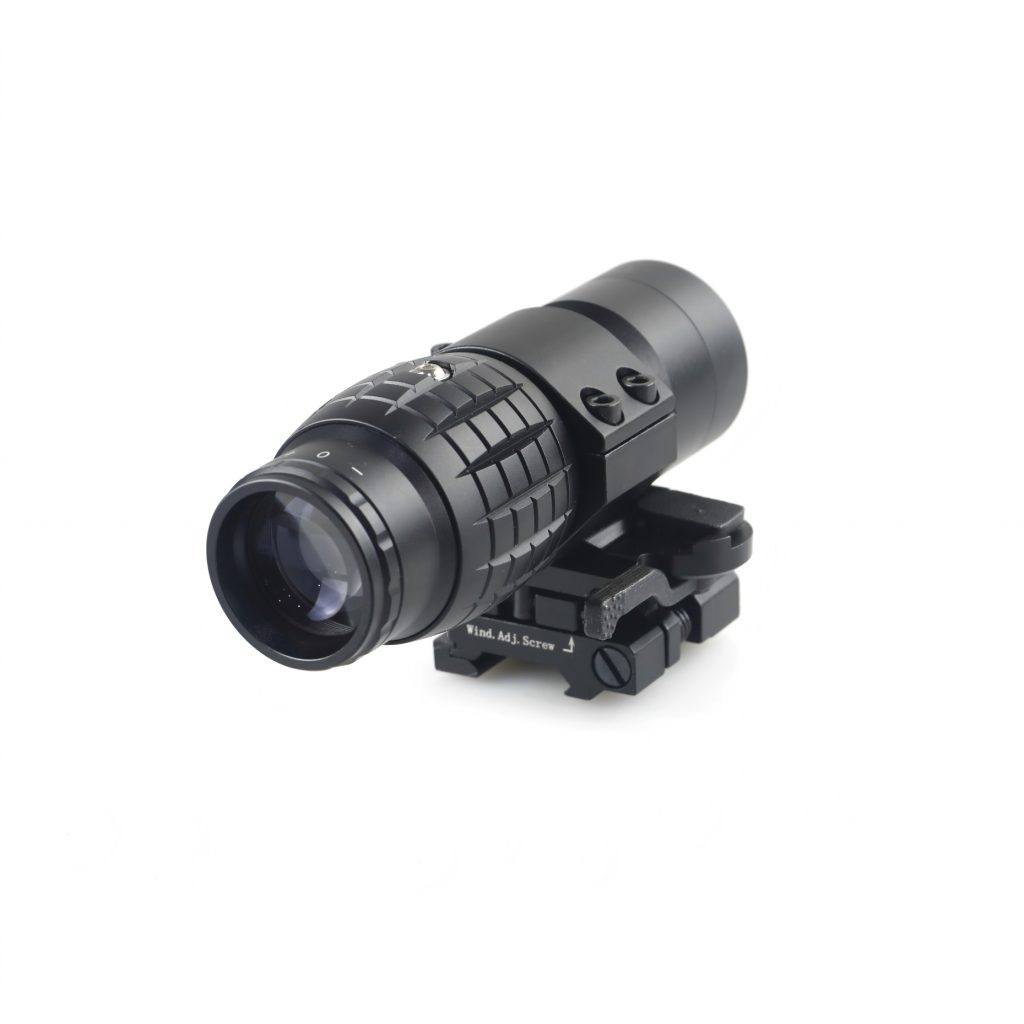
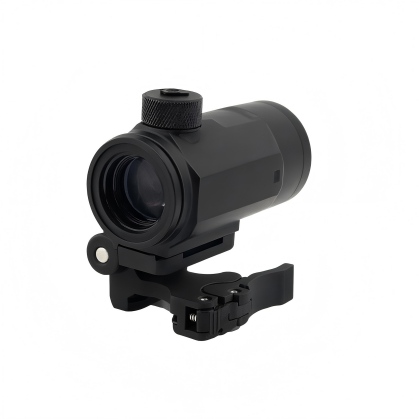
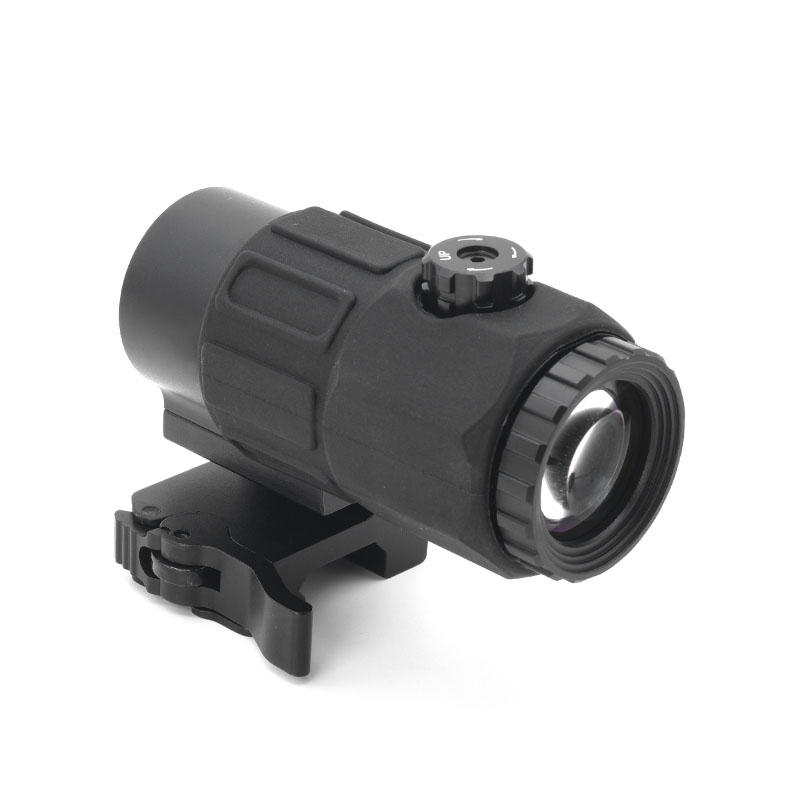
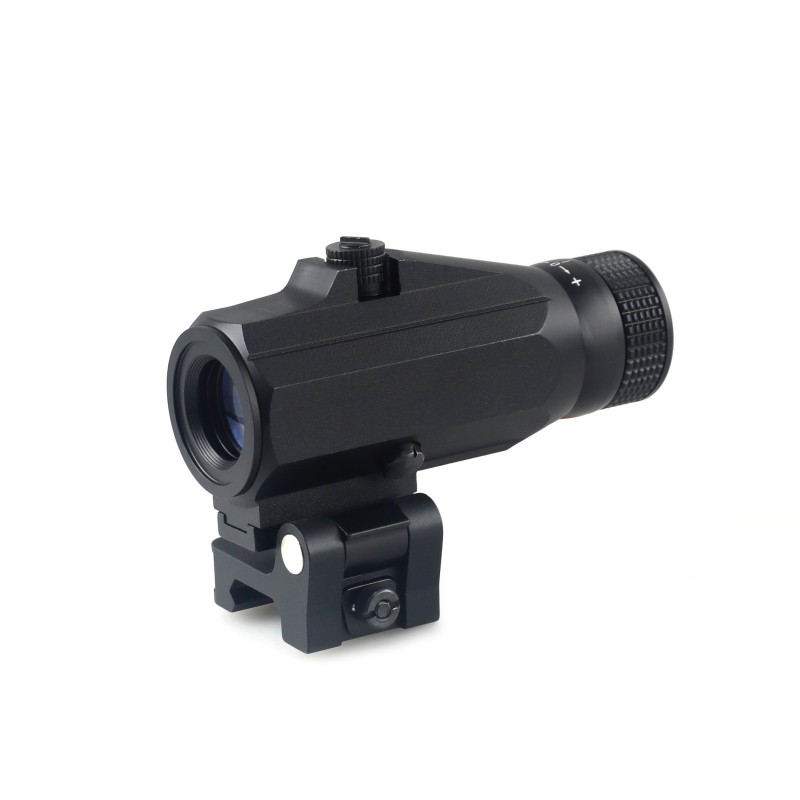
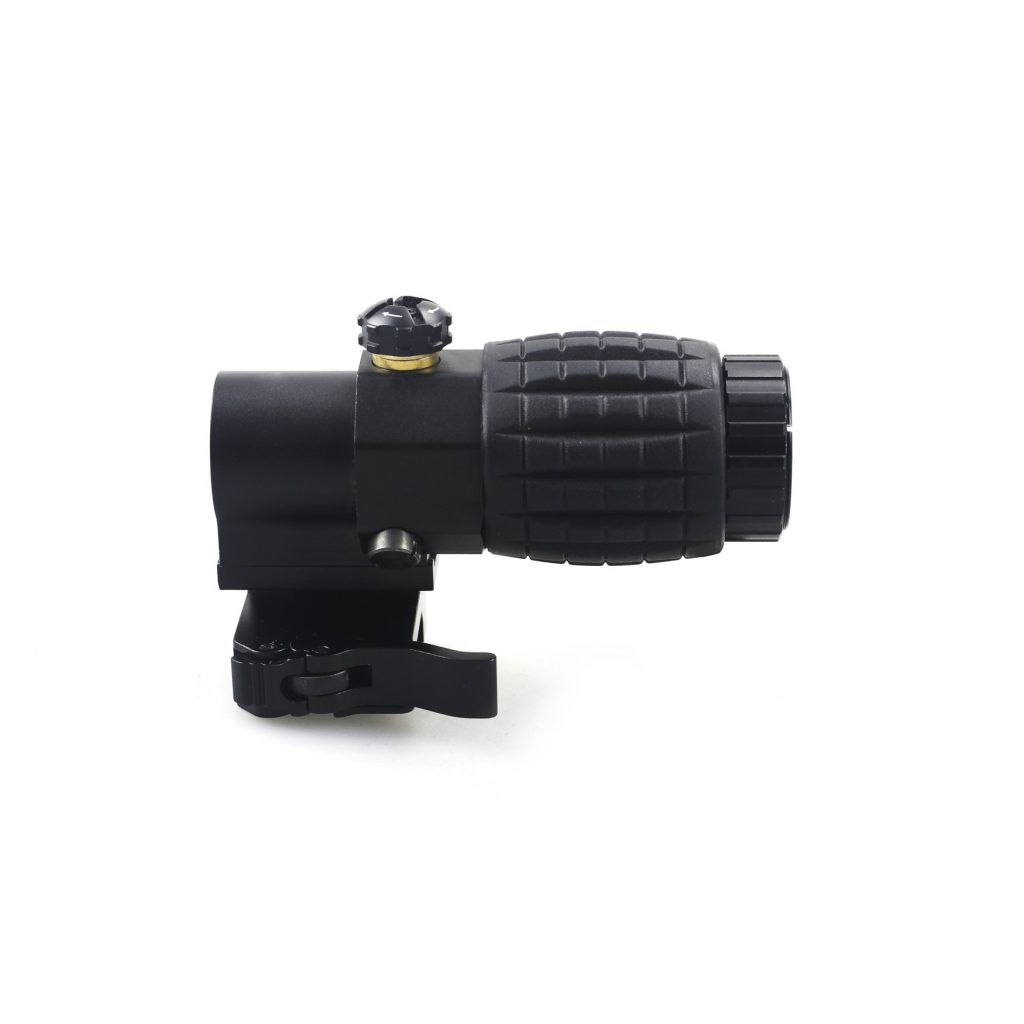
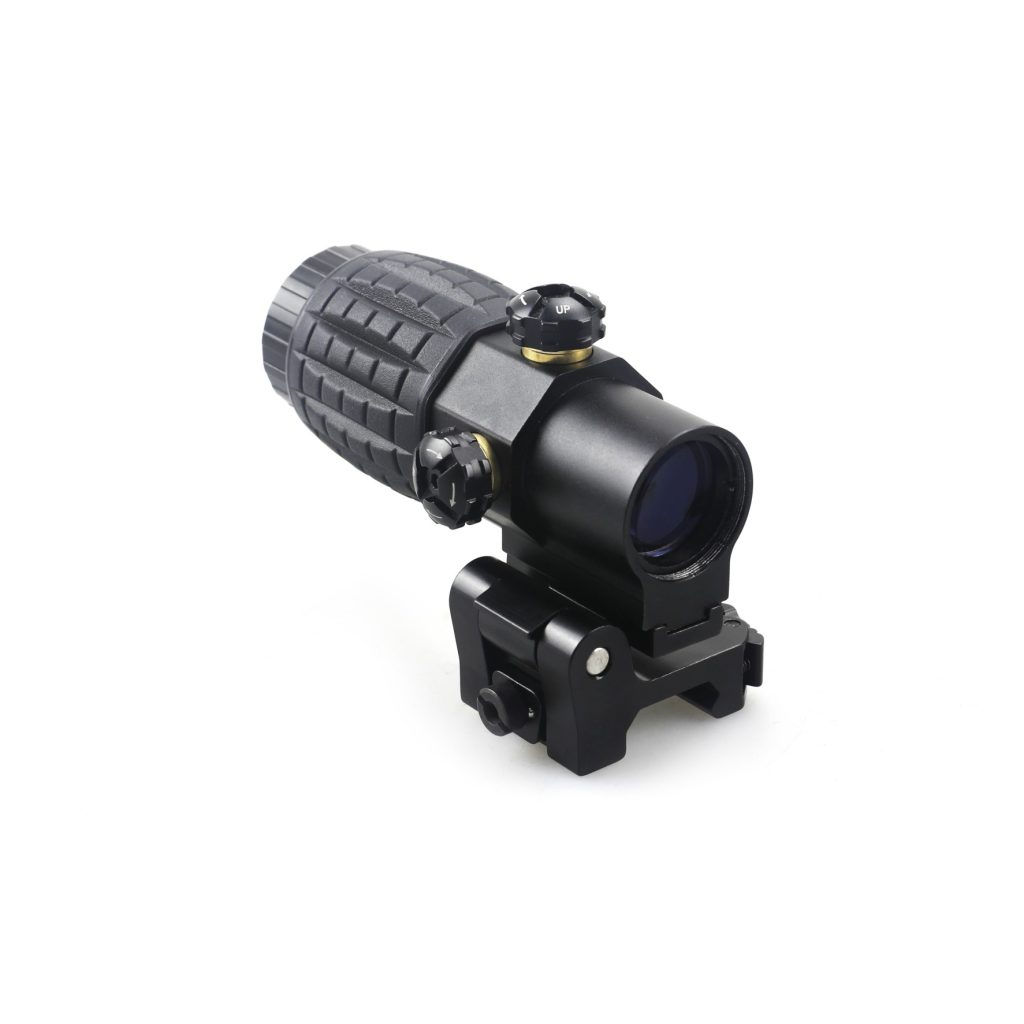
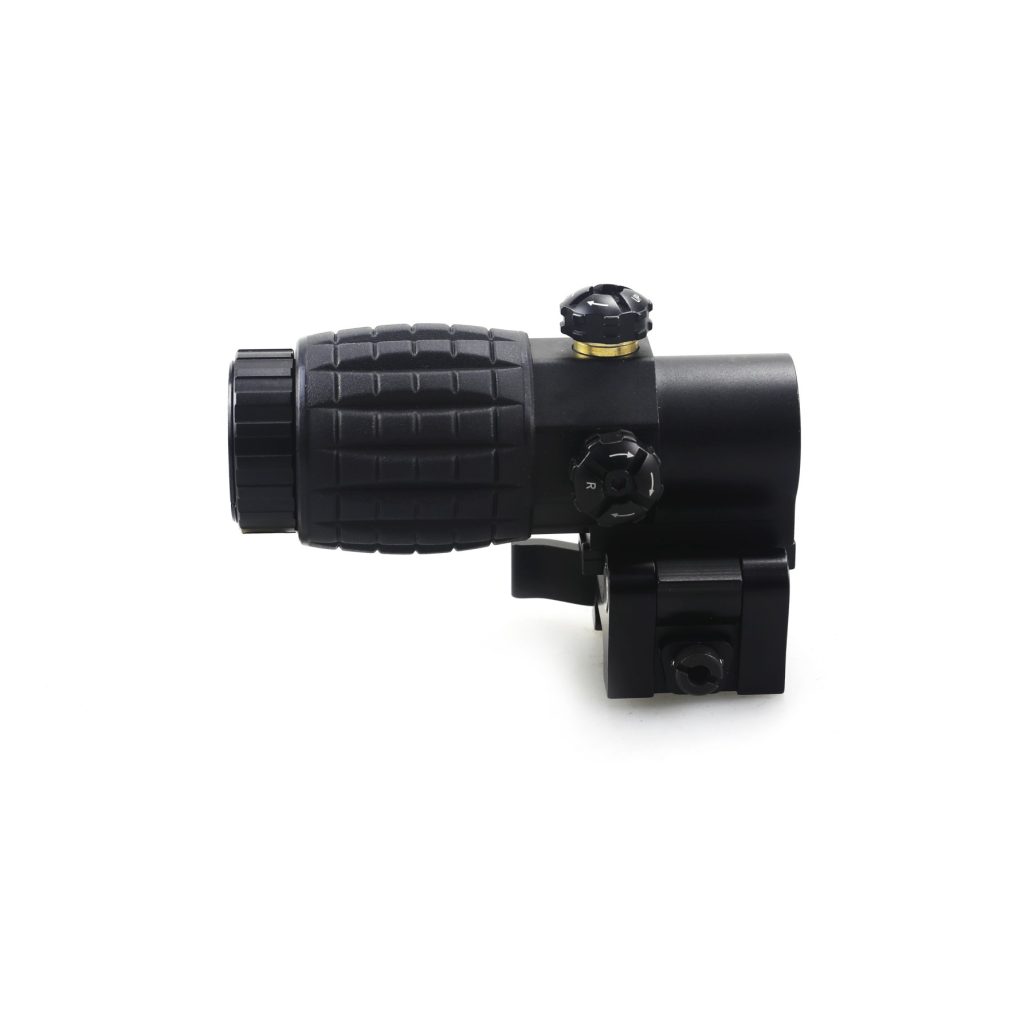
For example, Foreseen Optics offers the CHX3304 3x Magnification Red Dot Magnifier. It includes a 107 mm overall length, a weight of 307 g, and a 30 mm objective lens. These details give buyers concrete dimensions to compare when evaluating available rail space and the overall weight of a setup.
When might a 5x magnifier be worth considering?
A 5x magnifier provides more image enlargement than a 3x model. This can help when viewing finer details is a priority, but the benefit depends on the quality of the optics and the conditions in which they are used.
Higher magnification may also come with trade-offs. Depending on the design, a magnifier with greater power may offer a narrower field of view, a less forgiving eye box, or a larger housing. These are not automatic outcomes for every product, so compare the actual specifications rather than relying on magnification alone.
If you are considering 5x magnification, check whether the product provides the eye relief, field of view, and image quality you need. Also confirm that its dimensions and mount are compatible with your existing red dot.
3x vs. 5x magnifier: What should you compare?
| Specification | 3× Magnifier | 5× Magnifier |
| Magnification | 3× | 5× |
| Field of View (FOV) | Approx. 6°–8° | Approx. 3°–5° |
| Eye Relief | Approx. 50–70 mm | Approx. 50–70 mm |
| Objective Lens Diameter | Approx. 20–30 mm | Approx. 25–35 mm |
| Length | Approx. 60–100 mm | Approx. 80–120 mm |
| Weight | Approx. 200–300 g | Approx. 250–400 g |
| Mounting Options | Flip-to-side or fixed | Flip-to-side or fixed |
Note: These are indicative ranges for general comparison, not universal industry standards. Actual specifications vary by optical design and manufacturer. A 3× magnifier generally provides a wider field of view, while a 5× model offers greater image magnification. Always check the manufacturer’s specifications before selecting a model.
For brands and wholesale buyers, this also means looking at the intended customer and product positioning before deciding which magnification levels to include in a product range.
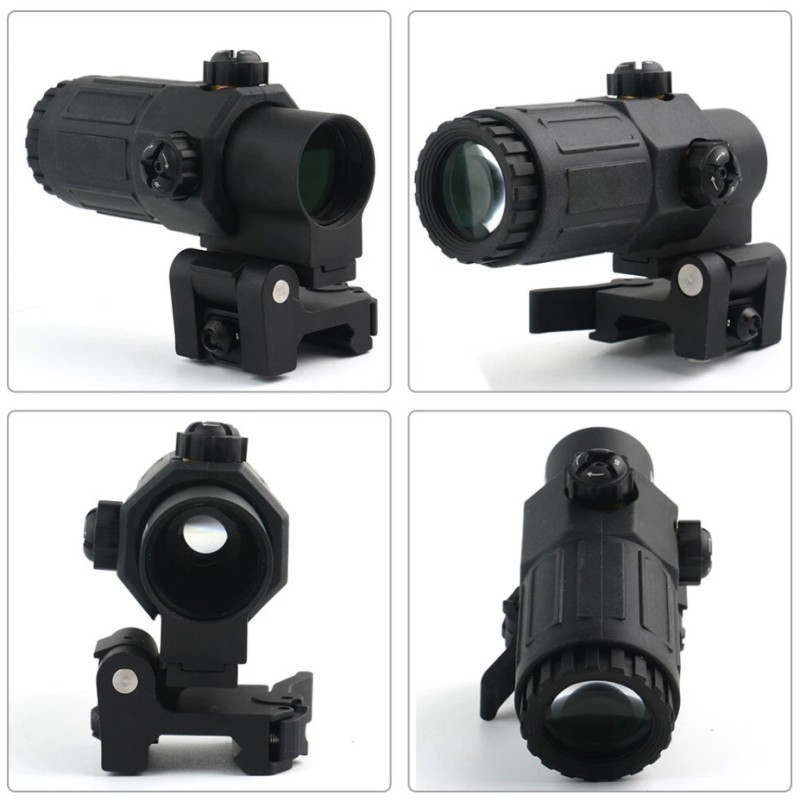
2. Check Red Dot and Magnifier Compatibility
A magnifier may have the right magnification and still be unsuitable for a particular red dot setup. Before choosing a model, check both mechanical compatibility and optical alignment.
Mechanical compatibility means the components can be mounted securely in the available space. Optical compatibility means the magnifier can provide a clear, usable view of the red dot and target when the components are properly aligned.
Mounting Height and Optical Alignment
The red dot and magnifier need compatible mounting heights so their optical axes line up. If their heights differ, the resulting view may be uncomfortable or the red dot may appear off-center in the magnified image.
Check the mounting height specified for each component, including whether the measurement refers to the optical centerline or another reference point. Do not assume that two products are compatible simply because both are designed for rifle use.
An off-center red dot does not always mean that the products are incompatible. Small differences in alignment can affect how the dot appears through the magnifier, and some models provide adjustment features to help center the image. Follow the instructions supplied by the manufacturer rather than assuming every magnifier uses the same adjustment method.
It is also important to distinguish between centering the red dot within the magnified image and zeroing the red dot sight itself. A magnifier’s alignment adjustments, where available, are intended to improve the viewed image; they should not be treated as a substitute for confirming the sight’s zero.
When evaluating a combination, check:
- The mounting height and optical centerline of both devices.
- Whether the magnifier’s adjustment range supports the intended pairing.
- Whether the red dot remains clearly visible throughout the usable viewing area.
- Whether the manufacturer lists any compatibility restrictions.
For product development, Foreseen Optics combines optical-axis inspection and alignment as part of its magnifier production process. Buyers can explore our red dot magnifier product range and confirm the relevant mounting and adjustment details for each model.
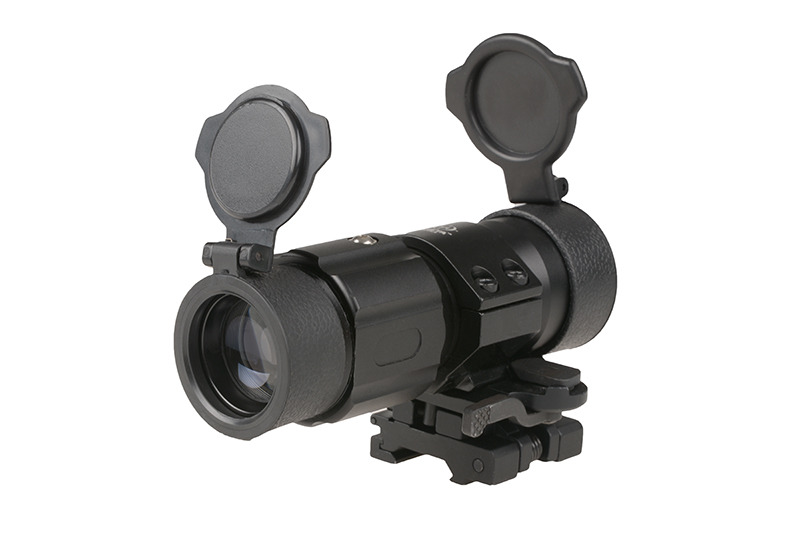
Rail, Mount, and Physical Clearance
The next step is to check whether the red dot, magnifier, and their mounts fit the available rail space.
Even when both optics use a compatible rail interface, their housings may differ in length, width, and mounting requirements. A magnifier also needs enough space to sit behind the red dot, and a flip-to-side model needs room to move into its stowed position.
Before selecting a model, consider:
- Rail interface: Confirm that the mount matches the rail standard and dimensions specified for the setup. Do not assume all mounts are interchangeable.
- Available rail space: Check the combined length of the optics and mounts, including any required spacing.
- Housing clearance: Make sure the magnifier and mount do not interfere with nearby components.
- Flip clearance: For a side-folding model, confirm that the magnifier has enough room to move aside without hitting other equipment.
- Mount security: Check the manufacturer’s requirements for securing the mount and verify that the components remain firmly attached.
These details are particularly important when replacing an existing magnifier. A new model may have a different body length or mount design even if its magnification is the same.
3. Decide Between a Flip-to-Side and Fixed Mount
The mount affects how the magnifier is used and how much space it occupies. Two common arrangements are flip-to-side mounts and fixed mounts.
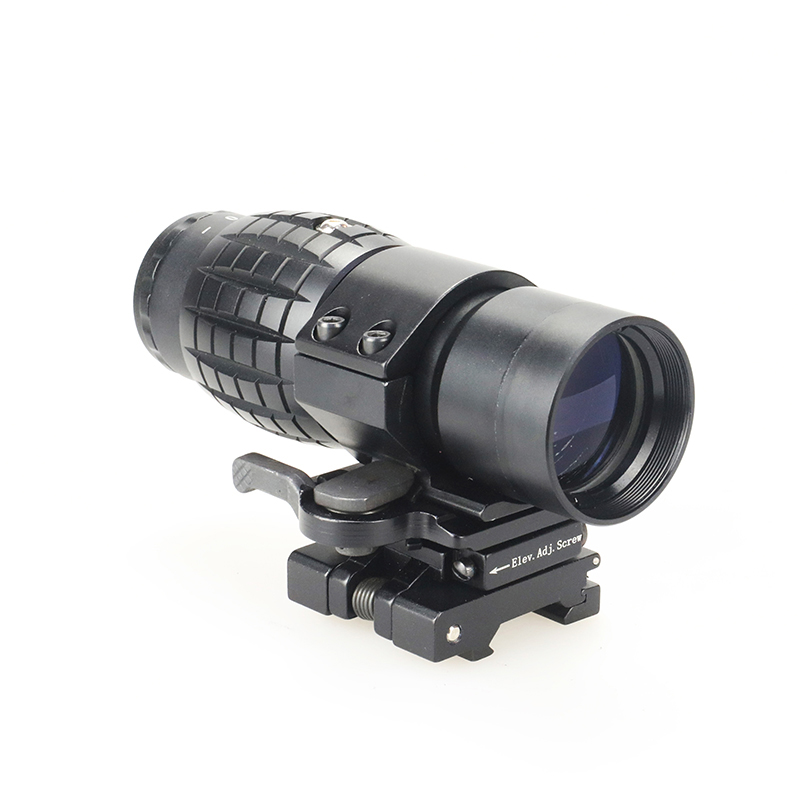
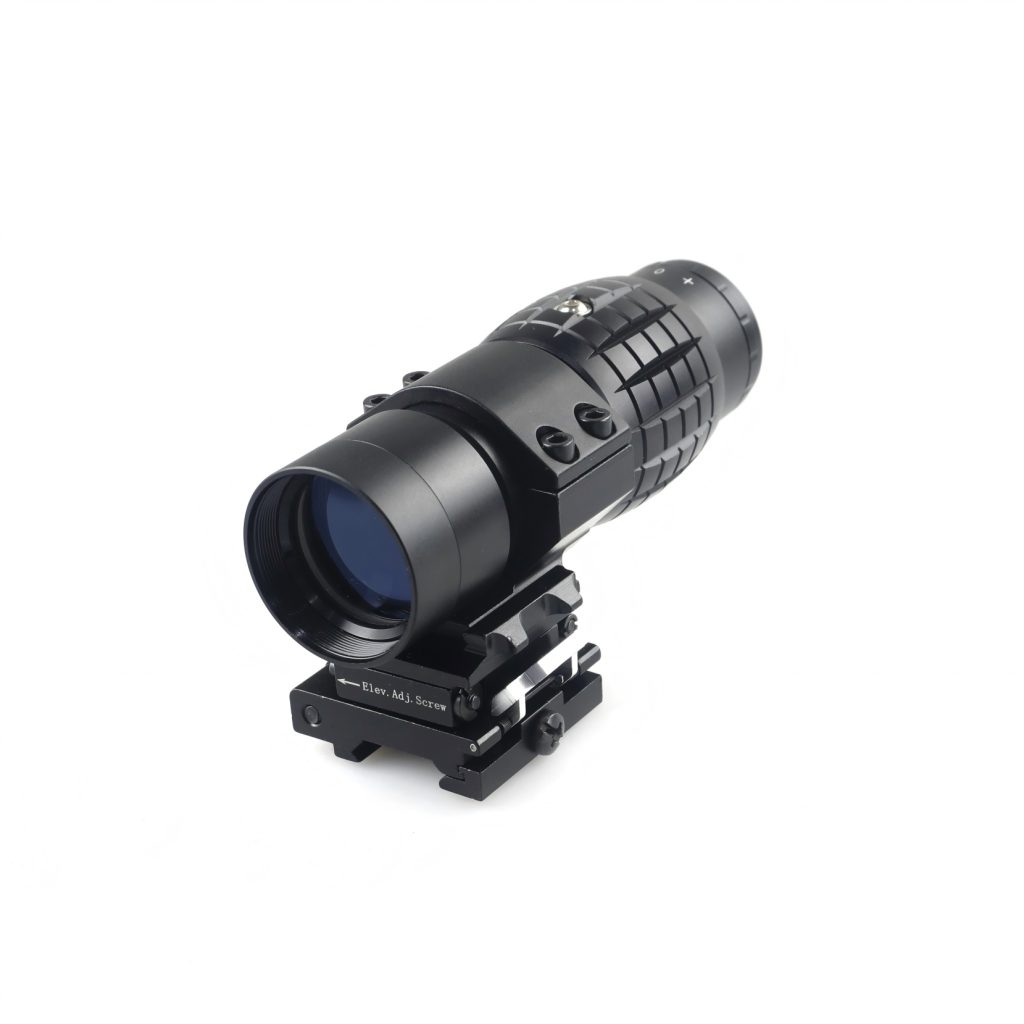
Flip-to-side magnifier
A flip-to-side magnifier uses a hinged or movable mount that allows the optic to move out of the red dot’s line of sight when magnification is not required. When needed, the magnifier returns to its viewing position behind the red dot.
This design is useful for people who want to keep a non-magnified red dot view available without removing the magnifier.
When comparing flip-to-side models, consider:
- How the mechanism moves between positions.
- Whether it locks securely in both positions.
- Whether the mount has unwanted movement when locked.
- Whether the stowed magnifier clears nearby components.
- Whether the mount’s height and interface match the red dot and rail.
A quick-release feature may also be useful when a setup needs a removable optic, but quick release and flip-to-side movement are different functions. Confirm which features a particular model actually includes.
For an example of this design, see Foreseen Optics’ CHX3303 3x Magnifier with Flip-to-Side Quick-Release Mount. The product has quick-release flip-to-side configuration and a 119 mm body length and a weight of 418 g. These specifications can help you assess whether its size and weight suit your intended product configuration.
Foreseen also offers the CHX3302 3x Magnifier with Flip-to-Side Mount, which provides another model to compare when evaluating mounting arrangements.
Fixed mount
A fixed mount keeps the magnifier in a set position rather than allowing it to swing to the side. Its suitability depends on the intended setup and whether the user needs to switch frequently between magnified and unmagnified views.
A fixed arrangement may be worth considering when a stable, permanent magnifier position fits the product requirements. However, it does not provide the same side-folding function as a flip-to-side mount.
Before choosing a fixed mount, check how the magnifier will affect access to the red dot’s unmagnified view and whether the overall layout meets the intended use requirements.
Which mount should you choose?
| Consideration | Flip-to-side mount | Fixed mount |
| Switching between views | Can move the magnifier out of the optical path | Magnifier remains in its set position |
| Moving parts | Includes a folding mechanism | Depends on the design; no flip hinge is required |
| Space requirements | Needs clearance for the folded position | Needs clearance for the fixed configuration |
| Features to inspect | Locking, hinge movement, repeatable positioning | Mount security, alignment, and overall fit |
The choice should reflect the intended use and the design of the complete optic setup. Neither mounting style is automatically better for every user or product line.
4. Compare Eye Relief, Eye Box, and Field of View
Magnification tells you how much larger the image appears, but it does not tell you how comfortable the magnifier will be to look through. Three other specifications deserve attention: eye relief, eye box, and field of view.
Eye relief
Eye relief is the distance between the eyepiece and the eye at which the image can be viewed properly.
If eye relief is too short for the way a person positions their eye, it may be difficult to see the full image comfortably. If the magnifier is mounted too far from the eye for its optical design, the usable view may also be restricted.
Compare the manufacturer’s published eye-relief measurement and consider the intended mounting position. A longer eye-relief figure can provide more positioning flexibility, but it should not be the only factor in choosing a magnifier.
Eye box
The eye box is the range of eye positions from which the user can see the full image. A more forgiving eye box makes it easier to maintain a complete view without having to place the eye at one very specific point.
Eye relief and eye box are related, but they are not the same. A product may offer a particular eye-relief distance while still requiring careful eye positioning to see the entire image.
When comparing models, look for published eye-relief and optical-performance information, and assess how the product performs as a complete system.
Field of view
The field of view (FOV) describes how much of the scene can be seen through the magnifier. A wider field of view lets the user see more of the surrounding scene at once, while a narrower view shows a smaller portion of it.
Field of view is often specified in degrees or as a width at a stated distance. Check the units and measurement conditions before comparing figures from different manufacturers.
Higher magnification can be associated with a narrower field of view, but the actual result depends on the optical design. It is better to compare the published FOV of each model than to assume every 3x magnifier offers the same viewing area.
What about optical clarity and coatings?
Lens coatings can reduce reflections and light loss at optical surfaces. Their effectiveness depends on the coating design and how it is applied across the optical system.
A product description may mention coated lenses, but buyers should still look for clear information about the optical specification and intended performance. Terms such as “high clarity” or “bright image” are more useful when supported by product details or test results.
For example, Foreseen’s CHX3304 3x magnifier has blue-coated optics and a 30 mm objective lens. These are specific features to consider during product comparison, rather than proof by themselves that one model will outperform every alternative.
For brands sourcing magnifiers, consistency across production batches also matters. A product specification should describe what buyers can expect from the supplied model, and quality checks should support that specification.
5. Evaluate Build Quality and Environmental Protection
A magnifier needs to do more than provide a clear image when new. Its housing, mount, moving parts, and optical assembly should suit the conditions in which the product is intended to be used.
Housing and mechanical construction
The housing protects the optical components and supports the mount. When evaluating build quality, check the stated housing material, finish, overall dimensions, and how the mount attaches to the optic.
A strong housing is only one part of the picture. The mount, hinge, locking components, and assembly quality also affect the complete product.
For flip-to-side models, pay attention to how the mechanism locks in position and whether the manufacturer provides information about durability testing. Do not assume that a heavier housing or a particular material automatically means better performance; evaluate the complete design against the product requirements.
Water, dust, and impact protection
Environmental protection is another specification to verify. Depending on the product, a manufacturer may state water resistance, dust protection, shock resistance, or other environmental performance.
These terms are not interchangeable. For example, “water-resistant” does not necessarily mean a product can be submerged, and “shockproof” should not be treated as an unlimited guarantee against impact.
When a product lists an ingress-protection rating, check the exact rating and the test conditions it represents. If the product is described as shock-resistant, ask what testing supports that claim and whether the test conditions are documented.
Foreseen Optics’ XIX331 3x Magnification Red Dot Magnifier has a 67 mm eye-relief specification, a 7.5° field of view, and water resistance to a stated depth of 10 m. Buyers should review the product’s complete specifications and test documentation to confirm that the stated protection level meets their requirements.
Weight and overall dimensions
Weight affects the total configuration, while body length and mount dimensions determine how much space the optic takes up.
A compact magnifier may be attractive when available space is limited, but compactness alone does not establish optical quality or compatibility. Compare the actual dimensions, eye relief, field of view, mounting options, and weight together.
This is especially important for brands and distributors. Two products with the same magnification may be designed around different priorities, such as a shorter body, a particular mount, or a different balance between dimensions and mechanical construction.
The right choice is the one whose verified specifications match the intended application and the needs of the target market.
What Should Optics Brands and Wholesale Buyers Look For?
For individual users, the main task is finding a magnifier that fits an existing red dot setup. For optics brands, importers, and wholesale buyers, the decision involves a few more questions: Which specifications matter to the target customer? How will the magnifier fit into the existing product range? Can the supplier provide consistent quality and the required product options?
Start with the target product and market
Before selecting a model, define the requirements that matter most to your customers. These may include magnification, body dimensions, weight, eye relief, field of view, mount type, finish, and environmental protection.
Avoid treating every specification as equally important. A compact product line may prioritize dimensions and weight, while another range may place more emphasis on mount options or documented environmental performance.
A clear specification list makes it easier to compare suppliers and identify which features are essential and which are optional.
Check compatibility and product consistency
If the magnifier will be sold alongside a red dot sight, assess the two products as a combination. Confirm mounting height, interface, available space, optical alignment, and the fit of the complete assembly.
It is also worth asking how the supplier checks optical alignment, assembly quality, and product consistency. Request relevant specifications and test documentation rather than relying on general statements about quality.
For brands developing a red dot and magnifier bundle, matching the components at the product-development stage can help reduce compatibility uncertainty. Foreseen Optics describes support for matched red dot and magnifier solutions as part of its product offering.
Consider OEM and ODM options
Some buyers need a standard product that can be added to an existing catalog. Others may need custom branding, packaging, finishes, or changes to product specifications.
Foreseen Optics offers a range of red dot magnifiers, including different 3x models and other magnification options. And also provide OEM&ODM options such as branded packaging, logo customization, and mount-related configurations.
Before placing an order, confirm which options are available for the specific model, along with minimum order quantities, sample availability, lead times, quality requirements, and any testing or documentation needed for your market.
The goal is to select a product that fits both the technical requirements and the business plan—not simply to choose the model with the longest feature list.
If you are building or expanding an optics product line, you can contact Foreseen Optics to discuss your target specifications and sourcing requirements.
Conclusion
Choosing a red dot magnifier for an AR-15 comes down to more than magnification. Compare the optical specifications, confirm mounting and alignment compatibility, decide whether a flip-to-side or fixed mount fits the intended setup, and check that the product’s construction and environmental protection meet your requirements.
For optics brands and wholesale buyers, the same checks provide a useful starting point for evaluating products and suppliers. A well-matched magnifier should fit the complete setup—not just look good on a specification sheet.
Explore Foreseen Optics’ red dot magnifier range or contact the team to discuss product options, specifications, and OEM/ODM requirements.
Frequently Asked Questions
Is a 3x magnifier enough for an AR-15?
A 3x magnifier can be a suitable option when the goal is to add moderate magnification to a red dot sight without moving to a higher-power optic. Whether it is enough depends on the intended use, the amount of target detail needed, and the magnifier’s optical performance. Compare field of view, eye relief, and image clarity as well as magnification.
Can you use a magnifier with any red dot sight on an AR-15?
Not necessarily. Many non-magnifying red dot sights can be paired with a compatible magnifier, but the combination still needs to meet the relevant mounting and optical requirements. Check the mounting heights, rail and mount interfaces, available space, and whether the magnifier can provide a clear view of the red dot. Consult the manufacturers’ compatibility information before choosing a combination.
Can you use a red dot magnifier with a backup iron sight?
It may be possible, but compatibility depends on the layout of the optics, mount, and backup iron sight. Check whether the components have enough physical clearance and whether the backup sight can still be accessed as intended. A flip-to-side magnifier may provide more flexibility than a fixed arrangement, but its folded position also needs sufficient clearance.
Is a compact magnifier compatible with a standard flip-to-side mount?
Not automatically. A compact magnifier must match the mount’s interface and mounting requirements, and its body dimensions must work with the mount’s design. Check the manufacturer’s compatibility list, dimensions, and mounting specifications before assuming that a mount will fit. Similar magnification or appearance does not guarantee interchangeability.
What should you check before buying a replacement magnifier?
Start with the mounting interface, mounting height, body dimensions, and compatibility with the existing red dot. Then compare magnification, eye relief, field of view, weight, mount type, and environmental-protection specifications. If you are replacing a model because of an optical or mechanical problem, identify the cause first so that the new product addresses the actual requirement.